Editing
How to reverse audio in Logic Pro
Logic Pro reverses an audio region non-destructively with the Reverse checkbox in the Region inspector. If you can't find it or it's greyed out, the usual causes are advanced tools being off or Flex being on. MIDI can't be reversed this way — bounce it to audio first.
 Owen Hartley
Where to find it
Region inspector > More > Reverse
Reverse checklist
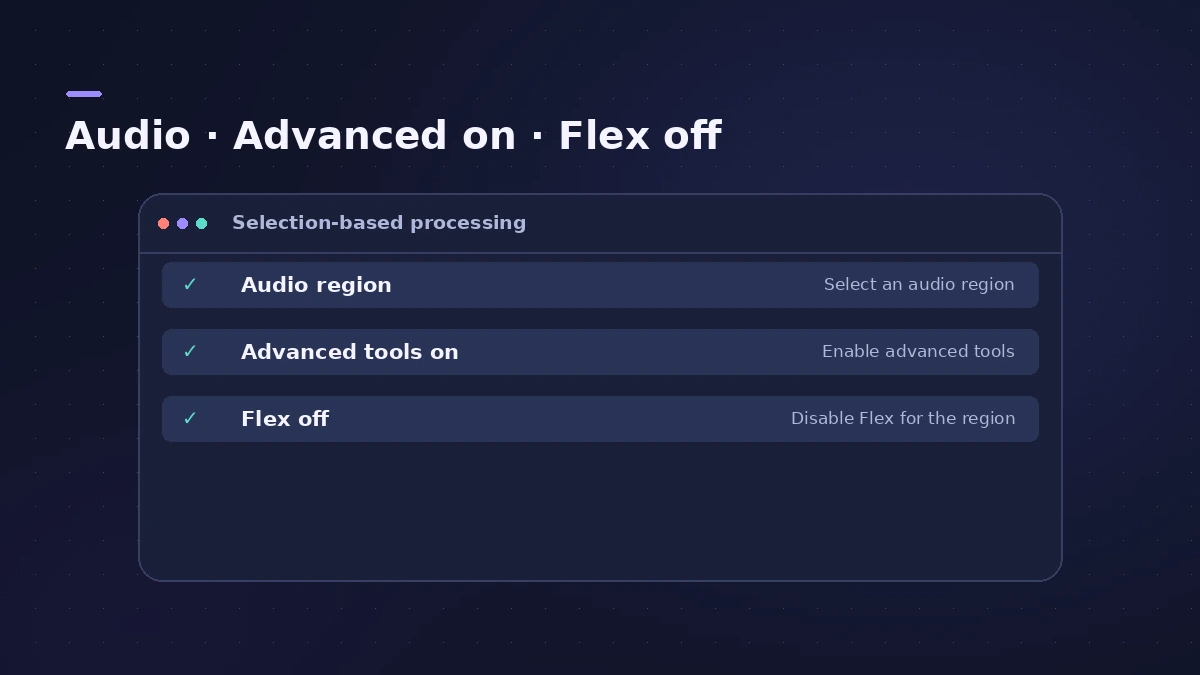
| Problem | Fix |
|---|---|
| Reverse checkbox missing | Enable complete features (Settings > Advanced), as users report |
| Reverse greyed out | Turn Flex off on the track |
| It's a MIDI region | Bounce in place to audio first |
On iPad, the Reverse switch is in the Region inspector's General section, and it isn't available when Flex & Follow is on.
Step by step
-
1
Select the audio region
Select one or more audio regions in the Tracks area.
-
2
Open the Region inspector
Open the inspector and expand the More section of the region parameters.
-
3
Tick Reverse
Select the Reverse checkbox. The region now plays backwards; untick it to go back.
-
4
If Reverse is missing
Users report it appears once complete features are enabled in Logic Pro > Settings > Advanced.
-
5
If Reverse is greyed out
Turn off Flex on the track — Apple says Reverse isn't available on tracks with Flex Time applied.
Common mistakes
- Trying to reverse a MIDI region — bounce it in place to audio first.
- Leaving Flex on and wondering why Reverse is unavailable.
- Using the Audio File Editor's reverse on the only copy of a file.
Creative reverse effects
Reverse a cymbal or a reverb tail for a riser, or perform reverse effects live with Remix FX. To turn MIDI into audio, use bounce in place.
Sources
- Apple — Logic Pro X 10.4 Help: Audio region parameters (Reverse) (old)
- Apple — Logic Pro for iPad User Guide: Reverse audio regions
- Apple — Logic Pro for iPad User Guide 2.1: Reverse audio regions (Flex note)
- Apple Community — Reversing audio in Logic Pro (advanced tools)
- Berklee Library — Logic's Inspector: The Complete Guide
- Apple — Logic Pro User Guide for Mac: Audio File Editor topics
Checked November 2026. Logic ProFiles is independent of Apple; menu names can differ slightly between Logic Pro versions.
Frequently asked questions
Why can't I reverse audio in Logic Pro?
+
Check that Flex is off for the track and, if the Reverse box is missing, that complete features are enabled in the Advanced settings.
Is reversing a region destructive?
+
No. The Reverse checkbox is a region parameter; the Audio File Editor also has a reverse function, which changes the file.
Related
- Bounce in place in Logic Pro — print instruments and effects to audioTurn software instruments and effects into audio inside your Logic Pro project with Bounce in Place: every option explained, plus when to freeze instead.
- Remix FX in Logic ProUse Remix FX in Logic Pro for DJ-style filter, gater, repeater, reverse, scratch and tape stop moves, control it with Logic Remote and record it as automation.
- Audio File Editor in Logic ProEdit audio files in Logic Pro's Audio File Editor: trim, silence, normalize, fade, reverse, remove DC offset — and back up first, as edits are destructive.
- Flex Time in Logic Pro — fix audio timingUse Flex Time in Logic Pro to fix and quantize audio timing: turn on Flex, choose Slicing, Rhythmic, Monophonic or Polyphonic, then drag or quantize.
- Editing in Logic ProEdit audio and MIDI in Logic Pro: comp takes, quantize, Flex Time, Smart Tempo, change tempo or key, Stem Splitter, audio to MIDI, fades and Remove Silence.