Workflows
How to make ambient music in Logic Pro
Ambient music is about texture and space more than beats. Logic Pro's Alchemy and Sample Alchemy turn simple sounds into evolving layers, and its reverbs supply the space.
 Owen Hartley

Where to find it
Alchemy + ChromaVerb
Layers
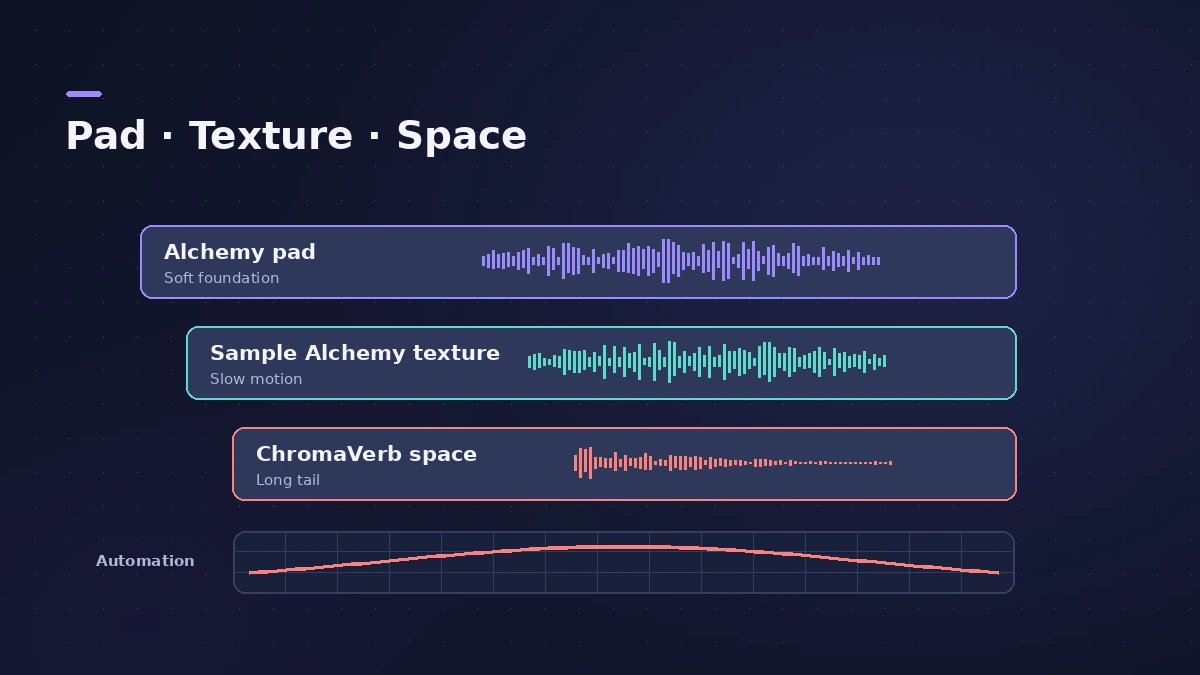
| Layer | Logic Pro tool |
|---|---|
| Evolving pad | Alchemy |
| Granular texture | Sample Alchemy |
| Space and drones | ChromaVerb with Freeze |
| Real rooms | Space Designer |
Step by step
-
1
Pick a slow tempo
Ambient and downtempo music typically sits around 60–110 BPM, often near 80 — or work freely without the grid.
-
2
Start with a pad
Load an evolving pad in Alchemy and hold long chords.
-
3
Turn a recording into texture
Drop a field recording or instrument note into Sample Alchemy to create a granular layer.
-
4
Add space
Send everything to ChromaVerb for algorithmic space or Space Designer for a real-room impulse response.
-
5
Freeze a moment
Use ChromaVerb’s Freeze button to hold a reverb tail as a drone.
-
6
Automate slowly
Automate filter, volume and send levels over many bars so the piece keeps evolving.
Common mistakes
- Too much happening: Leave space; fewer layers often sound bigger.
- Muddy low end: High-pass reverb returns and pads so long tails don't build up bass.
Tools
See Alchemy, Sample Alchemy, ChromaVerb and Space Designer.
Sources
Checked November 2026. Logic ProFiles is independent of Apple; menu names can differ slightly between Logic Pro versions.
Frequently asked questions
What tempo is ambient music?
+
Ambient and downtempo typically sit around 60–110 BPM, often near 80.
Which Logic Pro synth is best for ambient pads?
+
Alchemy, with its additive, spectral, granular and sampler engines and morphing between sources.
Related
- Alchemy in Logic ProWhat Alchemy does in Logic Pro: four sources, additive, spectral, granular, sampler and VA engines, morphing, the arpeggiator, and what Logic Pro 12.3 added.
- Sample Alchemy in Logic ProTurn one sample into a new instrument with Sample Alchemy in Logic Pro: load audio, pick granular, additive or spectral per source and use the 12.3 Sync mode.
- ChromaVerb in Logic ProSet up ChromaVerb in Logic Pro: choose one of 14 room types, shape decay with the Damping EQ, set size, density and predelay, use Freeze and the output EQ.
- Space Designer in Logic ProUse Space Designer, Logic Pro's convolution reverb: load a sampled IR or synthesize one, set length, predelay and spread, and load your own impulse responses.
- Logic Pro workflowsStep-by-step Logic Pro workflows by genre — house, techno, drum and bass, lo-fi, synthwave, orchestral, rock — plus beats, film scoring and podcasts.