Plug-ins
Exciter in Logic Pro
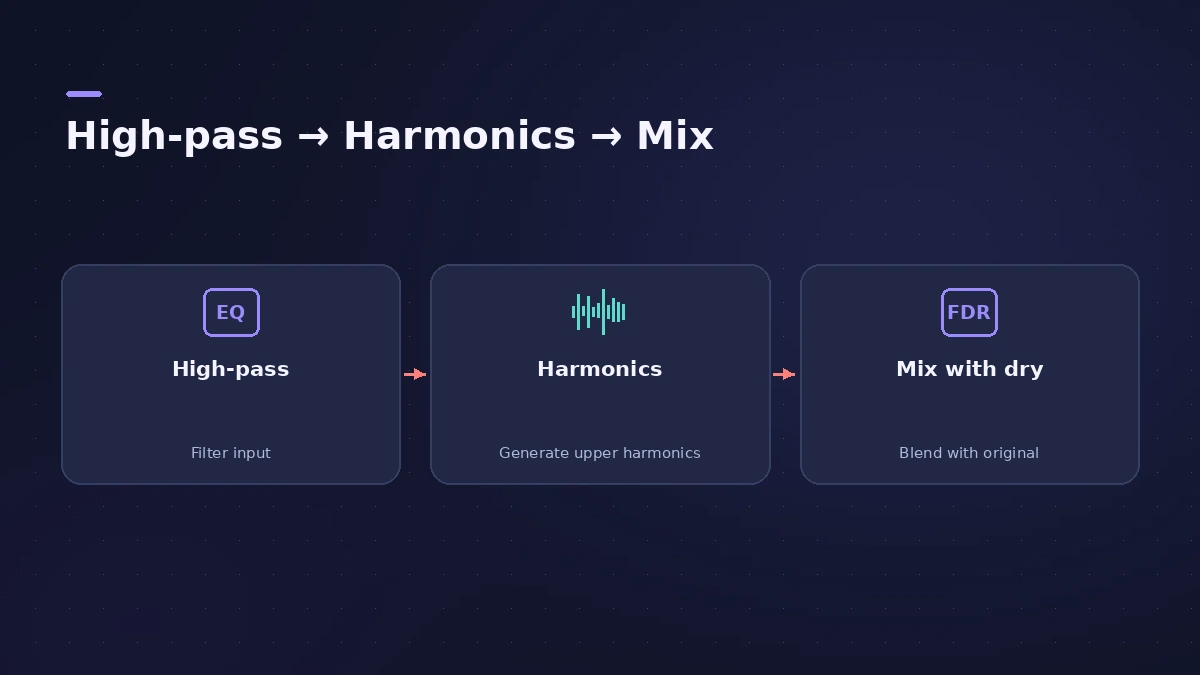
Exciter adds high-frequency content that wasn't in the original recording. It filters the signal with a high-pass filter, distorts what's left to create new harmonics and mixes them with the dry sound — useful on tracks with a weak top end and on guitars.
 Owen Hartley

Where to find it
Audio Effect slot > Specialized > Exciter
Exciter controls
| Control | What it does |
|---|---|
| Frequency | High-pass cutoff; only content above it is excited |
| Frequency display | Shows the range used for the effect |
| Harmonics | Ratio of effect to original signal |
| Color 1 / Color 2 | Less dense or more intense harmonic distortion |
| Dry Signal | On: mix with the original; off: effect only |
Apple's Japanese guide adds that the new harmonics sit at least an octave above the filter's cutoff.
Step by step
-
1
Insert Exciter
Choose Specialized > Exciter on a dull vocal, acoustic guitar or electric guitar track.
-
2
Set the Frequency
Frequency is the high-pass cutoff: only content above it is used to make harmonics. Apple notes higher values usually work better.
-
3
Set Harmonics
Harmonics sets how much of the effect is mixed with the original signal (it works when Dry Signal is on).
-
4
Choose Color 1 or Color 2
Color 1 adds a less dense set of harmonics; Color 2 is more intense but adds more intermodulation distortion, which can sound harsh.
-
5
Check in context
Bypass the plug-in now and then and compare at the same level — added brightness can sound better just because it's louder.
Common mistakes
- Setting Frequency low, so the new harmonics become audible distortion.
- Reaching for Color 2 first — Color 1 is cleaner.
- Exciting every track in the mix until it sounds harsh.
EQ or Exciter?
EQ can only boost what's already in a recording; Exciter creates new high harmonics. If the track already has top end, a gentle shelf in Channel EQ may be enough. For low-end warmth, ChromaGlow saturates instead.
Sources
- Apple — Logic Pro 9 Effects: Exciter (old)
- Apple — Logic Pro for iPad User Guide: Exciter
- Apple (Japan) — Logic Pro User Guide 10.7.5: Exciter
- Apple — Final Cut Pro Logic Effects: Exciter controls
Checked November 2026. Logic ProFiles is independent of Apple; menu names can differ slightly between Logic Pro versions.
Frequently asked questions
What does an exciter do in Logic Pro?
+
It generates high-frequency harmonics that weren't in the original signal by distorting a high-passed copy and mixing it back in.
Is Exciter good on vocals?
+
It's meant for tracks with a weak treble range, so it can help a dull vocal. Use high Frequency values and keep the amount modest.
Related
- How to use Channel EQ in Logic ProLearn Logic Pro's Channel EQ: the eight bands, the high-pass and shelving filters, the Analyzer, Q-Couple and HQ mode, plus a simple workflow for cleaner mixes.
- How to mix vocals in Logic ProMix vocals in Logic Pro with stock plug-ins: tune with Flex Pitch, clean up with Channel EQ, control level with Compressor, add reverb on a send and automate.
- ChromaGlow in Logic ProChromaGlow in Logic Pro adds analog-style warmth: what Retro Tube, Modern Tube, Magnetic, Squeeze and Analog Preamp do, their styles, Drive, Mix and filters.
- Phat FX in Logic ProPhat FX in Logic Pro is a colouring multi-effect: distortion, filters, compressor, bass enhancer and Mod FX in a chain you can reorder, plus an XY pad and LFOs.
- Plug-ins in Logic ProGuides to Logic Pro's stock plug-ins: Compressor, EQs, limiters, Pitch Correction, Amp Designer, Pedalboard, ChromaGlow, ChromaVerb, Space Designer and delays.