Logic Pro for iPad
Apple Pencil in Logic Pro for iPad
Anything you do with one finger in Logic Pro for iPad works with Apple Pencil too — just more precisely. It's best for drawing automation curves and placing notes, and a double-tap switches between two edit modes.
 Owen Hartley

Where to find it
Tracks area, Editors, Live Loops and Mixer
Automation drawing tools
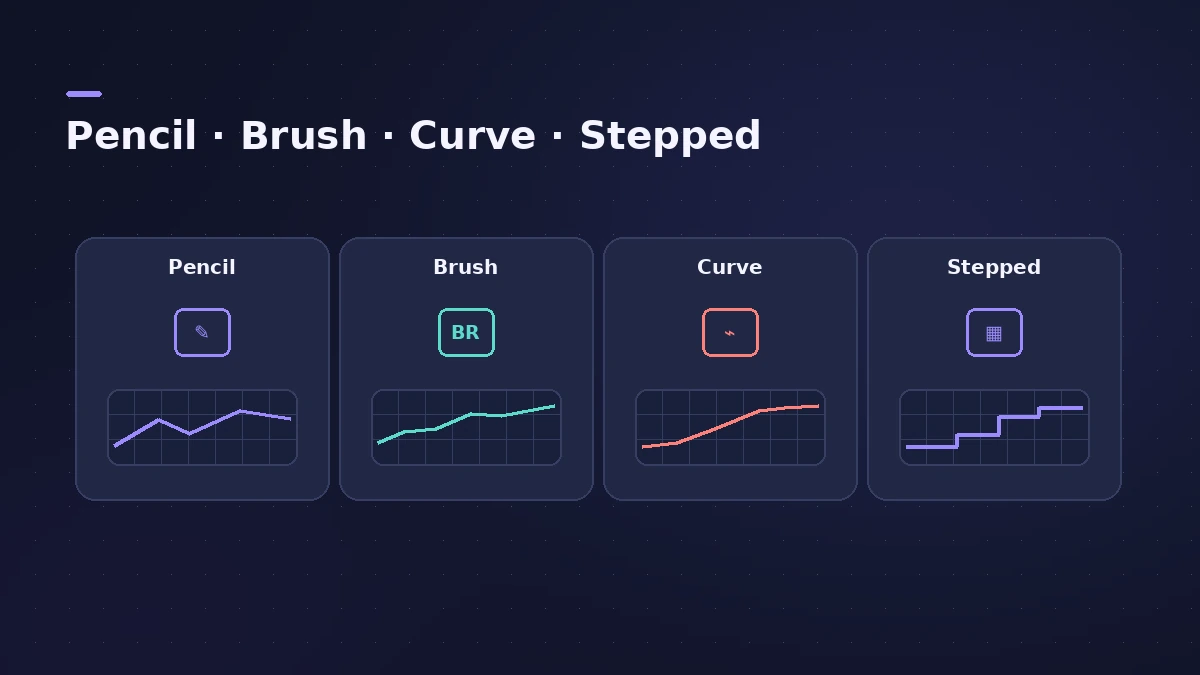
| Tool | What it does |
|---|---|
| Pencil | Add, move and delete individual points |
| Brush | Draw a curve as a series of points |
| Curve | Bend the lines between points |
| Stepped Automation | Horizontal steps instead of ramps |
Step by step
-
1
Draw automation
Switch to Automation view, choose a parameter, select the Pencil, Brush or Curve button, then draw the curve with Apple Pencil.
-
2
Add notes precisely
In the Piano Roll Editor, Apple Pencil gives more precise timing and pitch when you add notes.
-
3
Double-tap to switch modes
Double-tap the side of Apple Pencil to toggle between the current and previous edit mode — in the Tracks area, Live Loops, Editors and Mixer.
-
4
Write names with Scribble
Handwrite track, region, cell and group names; turn on Scribble in the iPad's Apple Pencil settings first.
-
5
Use hover on supported models
On supported iPad Pro models, Apple Pencil (2nd generation) can preview tools and controls by hovering.
Common mistakes
- Expecting double-tap to work without a Pencil model that supports it.
- Forgetting to turn on Scribble before writing in text fields.
Automation and editing
Automation works the same way as on the Mac — see automation — and note editing is covered in the iPad Piano Roll.
Sources
- Apple — Logic Pro for iPad Guide: Use Apple Pencil
- Apple — Logic Pro for iPad Guide: Automation drawing tools
- Apple — Logic Pro for iPad Guide: Add notes in the Piano Roll Editor
- Apple — Logic Pro for iPad Guide: Overview of gestures
- Apple — Logic Pro for iPad Guide: What's new in 1.1
Checked November 2026. Logic ProFiles is independent of Apple; menu names can differ slightly between Logic Pro versions.
Frequently asked questions
Is Apple Pencil required for Logic Pro for iPad?
+
No. You can do everything with your fingers; Apple Pencil adds precision for one-finger gestures.
What does Stepped Automation do?
+
With Pencil or Brush selected, it draws horizontal steps between points instead of gradual changes.
Related
- Piano Roll Editor in Logic Pro for iPadEdit MIDI in Logic Pro for iPad's Piano Roll: Pencil and Brush to add notes, Velocity and Select modes, Snap values, quantize and region automation.
- Automation in Logic Pro — Read, Touch, Latch and WriteAutomate volume, pan, sends and plug-ins in Logic Pro: what Read, Touch, Latch, Write and Trim do, how to record automation with the fader and how to draw it.
- Logic Pro for iPad keyboard shortcutsUse Logic Pro for iPad with a keyboard: hold Command to see shortcuts, move key focus with Command-Tab, view keys like X for Mixer, and Universal Control.
- Logic Pro for iPadLogic Pro for iPad guides: subscription, compatible iPads, Mac round-trips, AUv3 plug-ins, audio interfaces, Stem Splitter, exporting and fixes.