Gear
Place your studio monitors for mixing
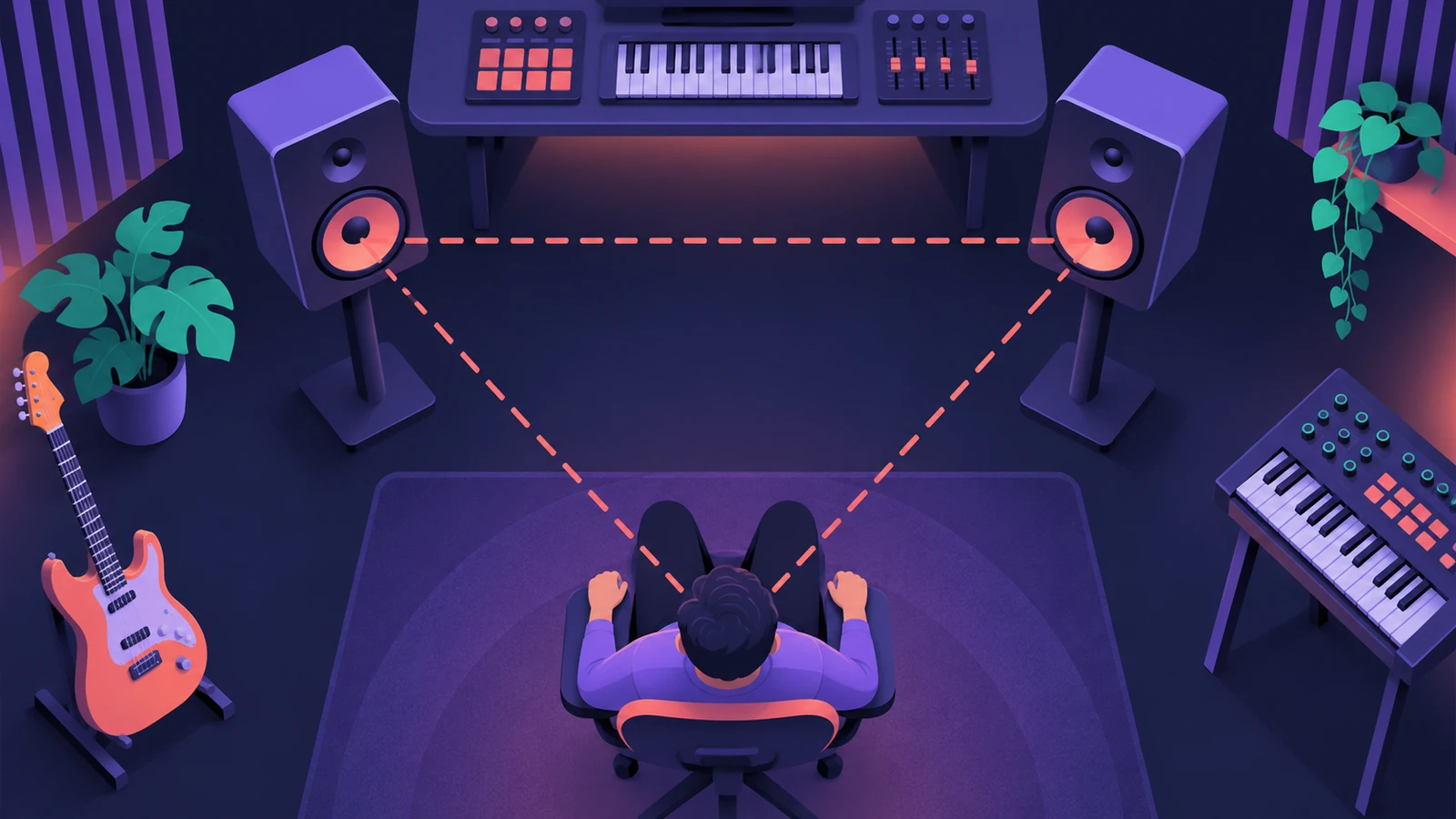
Placement is free and makes a bigger difference than most upgrades. The goal is a symmetrical setup where both speakers point at your ears from the same distance.
 Owen Hartley
Where to find it
Your mix position
The triangle
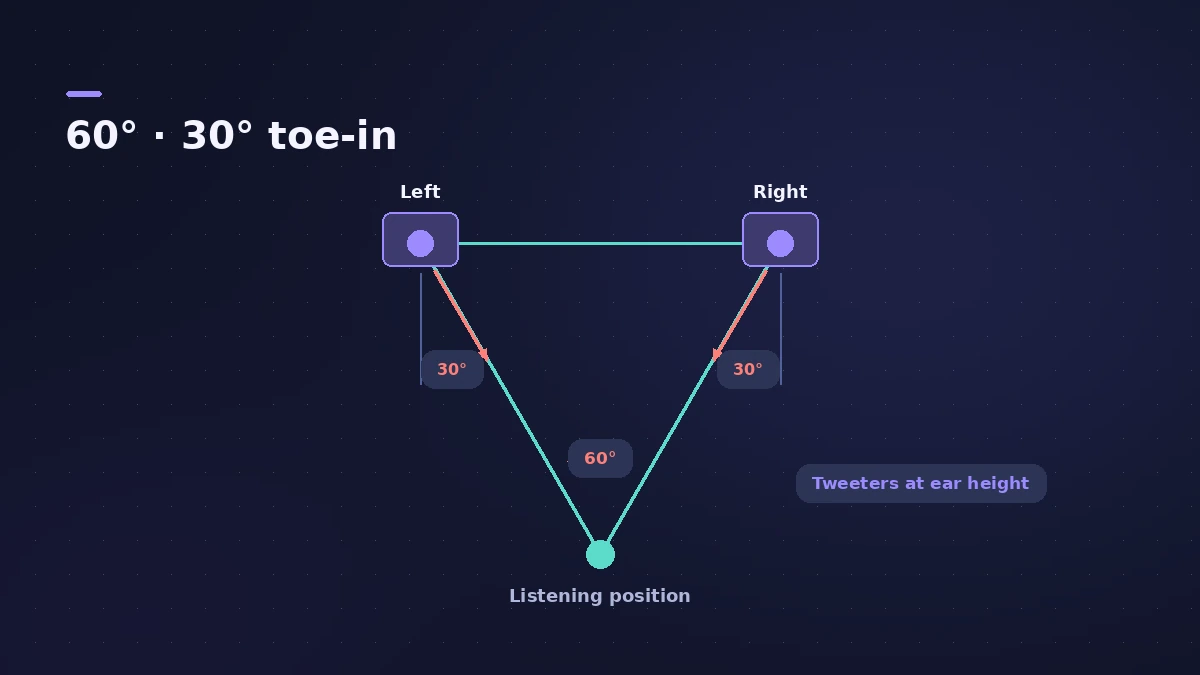
Universal Audio describes the ideal stereo setup as an equilateral triangle with the monitors turned in about 30 degrees toward the ears.
Step by step
-
1
Centre yourself
Sit halfway across the room’s width so each monitor ends up the same distance from its side wall.
-
2
Make an equilateral triangle
Make the distance between the two monitors equal to the distance from each monitor to your head.
-
3
Angle them in
Turn each monitor to aim at your ears, about 30 degrees from the centre line.
-
4
Raise tweeters to ear height
Use stands or pads so the tweeters sit roughly at seated ear height, not firing at your chest.
-
5
Keep the triangle small enough
In a small room keep the spacing modest; ADAM Audio suggests no more than about a third of the room’s average length and width.
-
6
Measure and adjust
Measure from each tweeter to the point just behind your head and adjust until all three sides of the triangle match.
Common mistakes
- Monitors flat on the desk: At desk height they are almost always below ear level.
- Sitting too close to the front wall: If you must, move the monitors closer together to keep the triangle.
- Measuring by eye: Use a tape measure; small differences shift the stereo image.
Then treat the room
Placement fixes imaging; it can't remove room modes. Add acoustic treatment and check which bass notes boom with the room mode calculator.
Sources
- Universal Audio — A guide to studio monitor placement
- Mixdown — Monitor placement and acoustic treatment
- ADAM Audio — How to position studio monitors in your room
- Sonarworks — Set up your studio monitors the right way
Checked November 2026. Logic ProFiles is independent of Apple; menu names can differ slightly between Logic Pro versions.
Frequently asked questions
How far apart should studio monitors be?
+
As far apart as each is from your head; Adam Audio uses about 1.5 m as a typical compact setup.
Where should I sit in the room?
+
Mixdown suggests starting with your listening position about 38% of the room length from the front wall.
Related
- Acoustic treatment for a home studioTreat a small room for mixing in Logic Pro: bass traps in the corners first, absorbers at first reflection points via the mirror trick, then a ceiling cloud.
- Room mode calculatorEnter your room's length, width and height to find axial room modes — the bass frequencies that boom or vanish at your mix position — in metres or feet.
- Headphones for Logic Pro: open-back or closed-back?Which headphones to use with Logic Pro: closed-back for recording without bleed, open-back for mixing in quiet rooms, and binaural monitoring for Dolby Atmos.
- How to mix a song in Logic Pro, step by stepA step-by-step mixing workflow for Logic Pro with stock plug-ins: organise tracks, balance levels, EQ, compress, add space with sends, automate, check loudness.
- Gear for Logic ProGear for Logic Pro in 2026: which Mac or MacBook to buy, how much RAM you need, moving the Sound Library to an SSD, control surfaces, Logic Remote and Sidecar.