Gear
Connect a Bluetooth MIDI keyboard to Logic Pro
Bluetooth MIDI keyboards don't pair in the usual Bluetooth settings — you connect them in Audio MIDI Setup. Once connected, Logic Pro sees them like any other MIDI input.
 Owen Hartley

Where to find it
Audio MIDI Setup > MIDI Studio > Configure Bluetooth
Roles
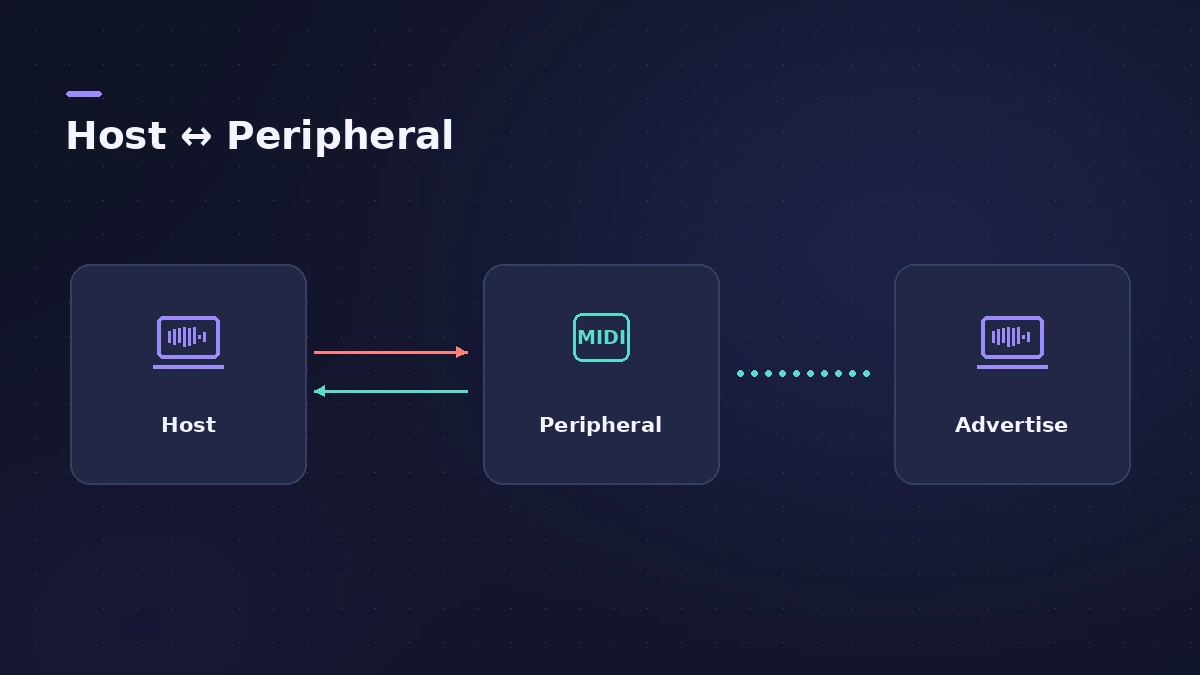
A Bluetooth connection is between a discoverable peripheral and a host that starts the connection. Your Mac can be either.
Step by step
-
1
Install the maker’s software
If the controller came with software, install it first.
-
2
Open MIDI Studio
In Audio MIDI Setup choose Window > Show MIDI Studio.
-
3
Open the Bluetooth panel
Click the Configure Bluetooth button in the toolbar.
-
4
Put the device in pairing mode
Follow the controller’s manual to make it discoverable.
-
5
Connect
Select the device in the list and click Connect.
-
6
Play in Logic Pro
Open Logic Pro, select a software instrument track and play — the keyboard appears as a MIDI input.
Common mistakes
- Pairing in Bluetooth settings: Bluetooth MIDI devices are connected from MIDI Studio in Audio MIDI Setup.
- Older hardware: Bluetooth MIDI uses Bluetooth LE (low energy) devices.
Mac to Mac or iPad
Bluetooth MIDI also links a Mac to another Mac or to an iPad, in both directions. To let another device find your Mac, open Configure Bluetooth and click Advertise; your Mac stops advertising once a host connects.
Sources
Checked November 2026. Logic ProFiles is independent of Apple; menu names can differ slightly between Logic Pro versions.
Frequently asked questions
Why can’t I find my keyboard in Bluetooth settings?
+
Bluetooth MIDI devices connect through Audio MIDI Setup’s MIDI Studio, using the Configure Bluetooth button.
Can my Mac send MIDI to an iPad over Bluetooth?
+
Yes. Bluetooth MIDI connections between a Mac and an iPad work in both directions.
Related
- How to record MIDI with a keyboard in Logic ProRecord MIDI from a keyboard in Logic Pro: arm an instrument track, record with a count-in, overdub, replace or take passes in Cycle mode, then quantize.
- MIDI keyboard not working in Logic Pro — 9 fixesLogic Pro not responding to your MIDI keyboard? Check USB and drivers, rescan in Audio MIDI Setup, reset all MIDI drivers and arm a software instrument track.
- Audio MIDI Setup on Mac for Logic Pro usersUse the Mac's Audio MIDI Setup app with Logic Pro: set an interface's sample rate and bit depth, configure speakers, add MIDI devices and test MIDI connections.
- Choosing a MIDI keyboard controller for Logic ProWhat to look for in a MIDI keyboard for Logic Pro: class-compliant USB, automatic Smart Controls mapping, control surface support, MPE and Bluetooth MIDI.
- Gear for Logic ProGear for Logic Pro in 2026: which Mac or MacBook to buy, how much RAM you need, moving the Sound Library to an SSD, control surfaces, Logic Remote and Sidecar.