Fix Problems
How to allow Logic Pro microphone access on Mac
macOS controls which apps can use a microphone or an external audio input. If Logic Pro's switch is off, it can't record from them. Turning it back on takes a minute in System Settings, and Logic Pro has a shortcut to the right pane.
 Owen Hartley
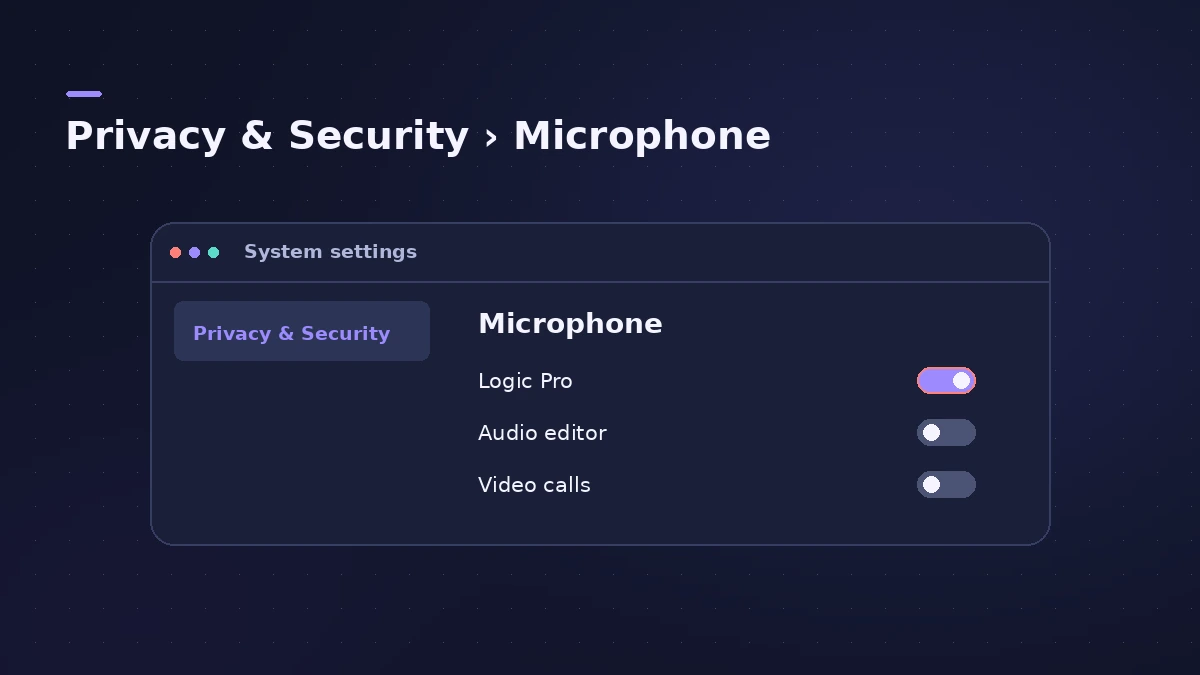
Where to find it
System Settings > Privacy & Security > Microphone
Still no signal after allowing access? Work through the rest of can't record audio — the input device and the track's Input slot are the next things to check.
Step by step
-
1
Quit Logic Pro
Apple's steps start by quitting the app, so the new permission applies when it opens again.
-
2
Open Privacy & Security
Choose Apple menu > System Settings, then click Privacy & Security in the sidebar.
-
3
Click Microphone
Scroll to Microphone and click it to see the apps that have asked for access.
-
4
Turn on Logic Pro
Turn on the switch next to Logic Pro.
-
5
Reopen Logic Pro and check the input
Open Logic Pro, go to Settings > Audio > Devices and make sure the right Input Device is selected.
Common mistakes
- Changing the setting while Logic Pro is open and not reopening it.
- Looking in the old System Preferences path on macOS Ventura or later.
Older macOS versions and the Allow Access button
On macOS Monterey back to Mojave, the path is System Preferences > Security & Privacy > Privacy tab > Microphone. Inside Logic Pro, the Audio > Devices pane shows an Allow Access button whenever the microphone switch is off; clicking it opens the same privacy setting.
Sources
- Apple — If you can't record audio from an external source on Mac (May 2026)
- Apple — Logic Pro User Guide: Devices settings in Logic Pro for Mac
Checked November 2026. Logic ProFiles is independent of Apple; menu names can differ slightly between Logic Pro versions.
Frequently asked questions
Do I need to restart my Mac after allowing access?
+
Apple's steps only ask you to quit Logic Pro before changing the switch and reopen it afterwards.
Does an audio interface need microphone access too?
+
Yes. Apple's article on recording from an external source covers microphones and interfaces with the same privacy switch.
Related
- Logic Pro not recording audio — 9 fixes to tryLogic Pro won't record audio from your mic or interface? Check microphone access, the input device, record-enable state, unique inputs and the recording format.
- Input monitoring not working in Logic Pro — 8 fixesCan't hear yourself in Logic Pro? Check Software Monitoring, the track's Input Monitoring button, the focused-track setting and direct monitoring.
- No sound in Logic Pro — 10 fixes, quickest firstNo sound in Logic Pro? Check the output device, Core Audio, mute and solo, the metronome and plug-ins, then test built-in audio to rule out the interface.
- Fix Logic Pro problems — errors, crashes and no soundStep-by-step fixes for Logic Pro on Mac: system overload, disk too slow, no sound, crashes, latency, missing plug-ins, MIDI keyboards and recording problems.