Fix Problems
Flex Time artifacts in Logic Pro
After a Flex edit, a vocal sounds smeared, a guitar warbles or drums get double hits. Each Flex Time algorithm suits a different kind of audio; the wrong one — or a large stretch — produces artifacts.
 Owen Hartley
Applies to: Logic Pro 13, 12 and 11 for Mac.
Most likely causes
- Flex algorithm doesn't match the audio (most common)
- Transient markers in the wrong places (common)
- Very large stretches (common)
- Reverb in the recording (Monophonic mode) (occasional)
Flex mode by material
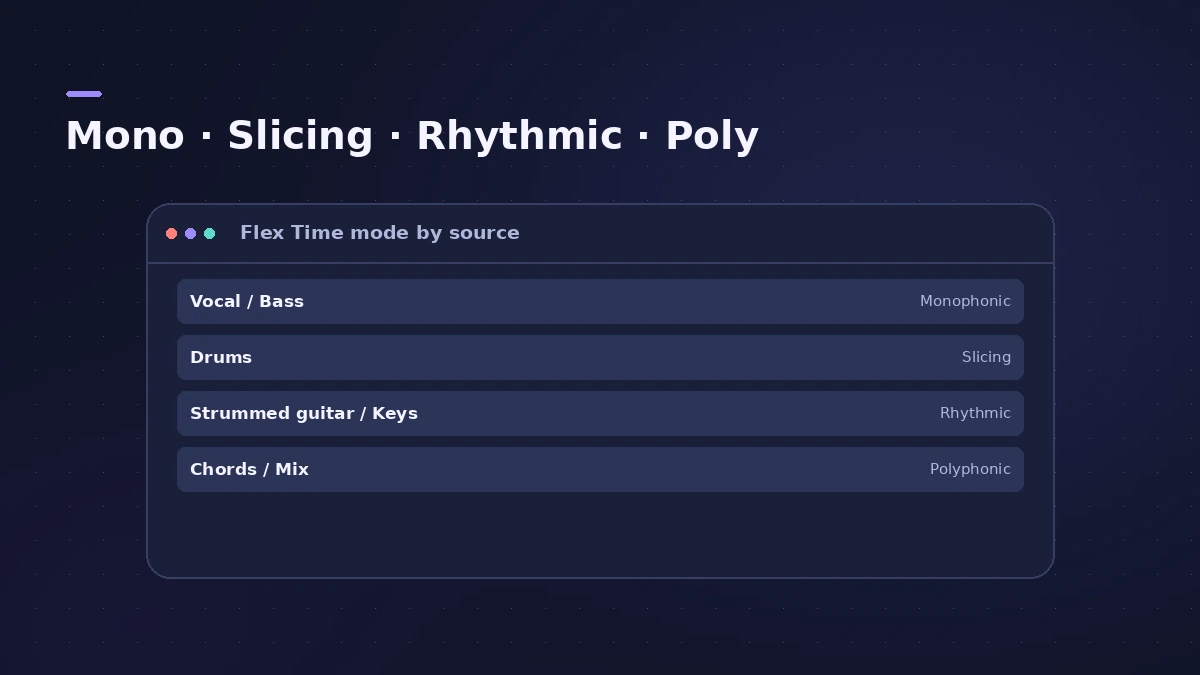
| Material | Algorithm | Key setting |
|---|---|---|
| Vocals, bass, solo lines | Monophonic | Percussive |
| Drums, percussion | Slicing | Fill Gaps, Decay, Slice Length |
| Strummed guitars, keyboards | Rhythmic | Loop Length, Loop Offset |
| Chords, piano, full mixes | Polyphonic | Complex |
Flex Time only handles timing; for tuning, use Flex Pitch.
Fixes, in order
1. Pick the right algorithm
Monophonic for single-note parts like vocals and bass; Slicing for drums; Rhythmic for strummed guitars and keyboard parts; Polyphonic for chords and complex material.
2. Adjust Percussive in Monophonic
Apple says turning Percussive off prevents glitches at transient markers on bowed strings and wind instruments.
3. Turn on Complex for dense material
In Polyphonic mode, Complex allows more internal transients for busy parts.
4. Tweak Slicing and Rhythmic
In Slicing, use Fill Gaps and Decay for gaps; in Rhythmic, Loop Offset keeps pre-attack sounds out of the looped area.
5. Avoid FX modes for correction
Speed and Tempophone are effects: Speed changes pitch and Tempophone deliberately adds artifacts.
Sources
- Apple — Logic Pro X 10.4 Help: Flex Time algorithms and parameters (old)
- Apple — Logic Pro for iPad Guide: Flex Time algorithms
- Apple Community — Flex Time degrades guitar tracks
Checked November 2026. Logic ProFiles is independent of Apple; menu names can differ slightly between Logic Pro versions.
Frequently asked questions
Which Flex mode is best for vocals?
+
Monophonic, designed for single-note parts like solo vocals. Apple notes it works best on dry recordings.
Which Flex mode uses the most CPU?
+
Polyphonic — Apple calls it the most processor-intensive algorithm.
Related
- Flex Time in Logic Pro — fix audio timingUse Flex Time in Logic Pro to fix and quantize audio timing: turn on Flex, choose Slicing, Rhythmic, Monophonic or Polyphonic, then drag or quantize.
- Autotune in Logic Pro — Flex Pitch and Pitch CorrectionTune vocals in Logic Pro without extra plug-ins: fix notes by hand with Flex Pitch, or use the Pitch Correction plug-in for real-time autotune. Both explained.
- Smart Tempo in Logic ProUse Smart Tempo in Logic Pro to record without a click and build a tempo map: choose Adapt, Keep or Automatic, fix the analysis with hints, multitrack.
- How to quantize MIDI and audio in Logic ProQuantize MIDI and audio in Logic Pro: pick a grid in the Region inspector, add swing, use strength and range to keep the feel, quantize notes in the Piano Roll.
- Fix Logic Pro problems — errors, crashes and no soundStep-by-step fixes for Logic Pro on Mac: system overload, disk too slow, no sound, crashes, latency, missing plug-ins, MIDI keyboards and recording problems.