
Fix a problem / Mac
Logic Pro Sound Library missing or not downloading: choose the right fix
Quick answer
First decide what is missing: a legacy patch, a sound pack that has not downloaded, or the whole library at an unavailable location. Logic Pro 12 changed the library format, so do not mix old Sound Library Manager instructions with newer Sound Library windows. Check the version and location before deleting content or starting another large download.
Match your symptom
| What happens | First check |
|---|---|
| Old patches disappeared after moving to Logic Pro 12 | Check Apple’s Legacy packs guidance |
| A pack never finishes downloading | Try one pack and inspect the destination |
| The library disappeared after moving drives | Check the configured library location |
| Only a project’s own samples are missing | Follow the project-media route |
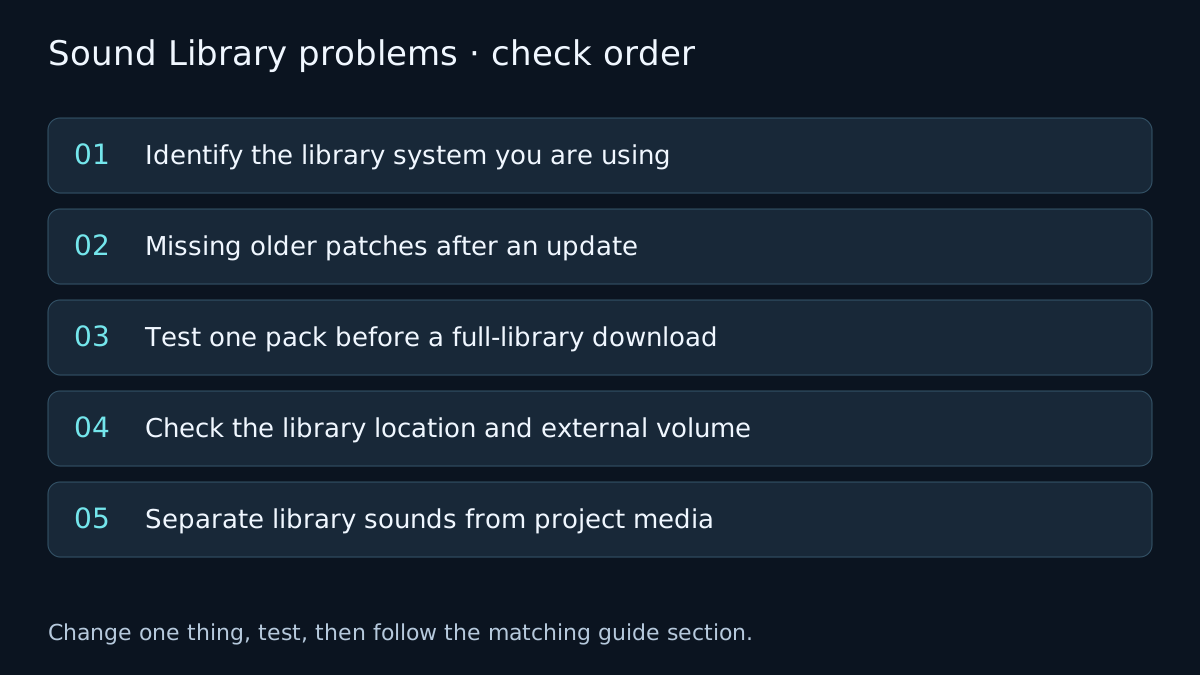
Identify the library system you are using
Record your exact Logic version. Apple documents a different library arrangement from Logic Pro 12 onward, with library content stored in Logic Pro Library.bundle. Older guides describing individual legacy folders or an older manager window may not match your installation.
Use the menu and window documented for your build. For example, the Logic Pro 12.3 guide opens Logic Pro > Sound Library and lets you search and download individual packs. Do not move or unpack library internals simply to reproduce an older tutorial.
Missing older patches after an update
Apple has a specific route for patches missing after the move to Logic Pro 12.0: its support article calls for Logic Pro 12.2 or later and the appropriate Logic Pro Legacy patches, instruments and loops packs. Check the linked article against your build before taking action.
Search the library for Logic Pro Legacy, identify the relevant pack and install what is actually missing. A missing legacy patch is not automatically a corrupt project or a missing third-party Audio Unit. Those have separate checks.
Test one pack before a full-library download
Confirm the Mac has a working network connection and enough free space on the destination the library actually uses. Check that external storage is connected and writable. The capacity of an unrelated drive does not help a download targeting the internal disk.
Try a single required pack in the library window instead of repeatedly requesting all content. Record the exact alert and the pack name if it stops again. A partial or stalled pack, an unavailable location and a missing legacy pack should not be treated as the same failure.
Do not delete the complete library as your first test. Preserve any working setup and follow Apple’s version-specific move and library guidance if the destination needs to change.
Check the library location and external volume
If the problem started after moving or renaming a drive, inspect Sound Library settings and the actual volume. Use the relocation or location controls described in Apple’s current guide rather than dragging pieces of the library between folders.
Keep a copy of important projects and confirm which content is provided by the library and which is a separate recording or sample folder. Restoring an Apple sound pack does not restore a musician’s original audio recordings.
Separate library sounds from project media
If a specific song asks for recorded audio or custom samples, use missing audio-file troubleshooting. If an installed third-party instrument is absent from the plug-in slot, use Audio Unit checks. A library reinstall is unlikely to fix an unrelated plug-in authorisation problem.
Verify the fix
- Load a named sound from the affected pack in a new project.
- Save, close and reopen the test project with the intended library drive connected.
- Confirm the repaired pack and location before attempting a much larger download.
If the result changes, note which check changed it. If it does not, undo the test where appropriate and follow the next relevant branch. A failed test narrows the problem; it does not identify a component with certainty.
Frequently asked questions
Should I delete the complete Sound Library first?
No. Identify the missing pack, legacy content or unavailable location before removing working content.
Can a Sound Library download restore my recordings?
No. Apple sound packs and your own recorded project audio are separate assets.
Related guides
 Files & library
Missing audio files
Find missing Logic Pro audio without substituting the wrong take. Check storage and original files, reconnect media, then consolidate project assets.
 Fix
Logic Pro plug-ins not showing: Audio Units and validation
Plug-in missing from Logic Pro? Check Audio Unit format, validation, installed locations and version compatibility. Understand when Rosetta is needed.
 Download
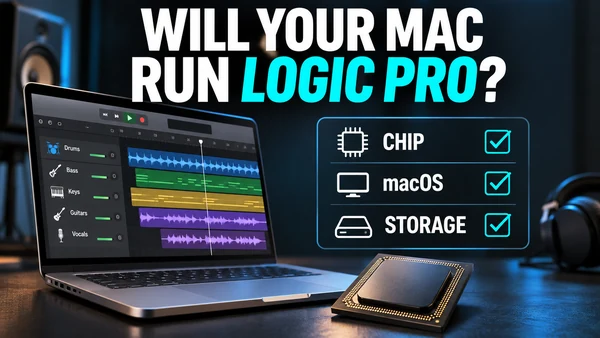
Logic Pro system requirements: what your Mac or iPad needs
Logic Pro 12 needs macOS 15.6 or later on an Apple silicon Mac; the iPad app needs iPadOS 26 and an A12 chip or newer. Plus RAM, storage and Sound Library.
Choose a guided check · All troubleshooting topics · Search every guide
Sources and version notes
Based on Apple documentation; reviewed 8 November 2026. This is a documentation review, not a claim of hands-on testing on every Logic, macOS or interface version. Archived guides are labelled; confirm menu names in the help for your installed release.