MainStage & Live
MainStage 4 — what it is and what's new
MainStage is a music app designed for live performance. Whether you sing or play keyboard, guitar or another instrument, it turns your Mac into a multi-instrument and effects processor. Version 4 arrived on 28 January 2026 alongside Logic Pro 12, adding Ableton Link sync.
 Owen Hartley

How MainStage is organised
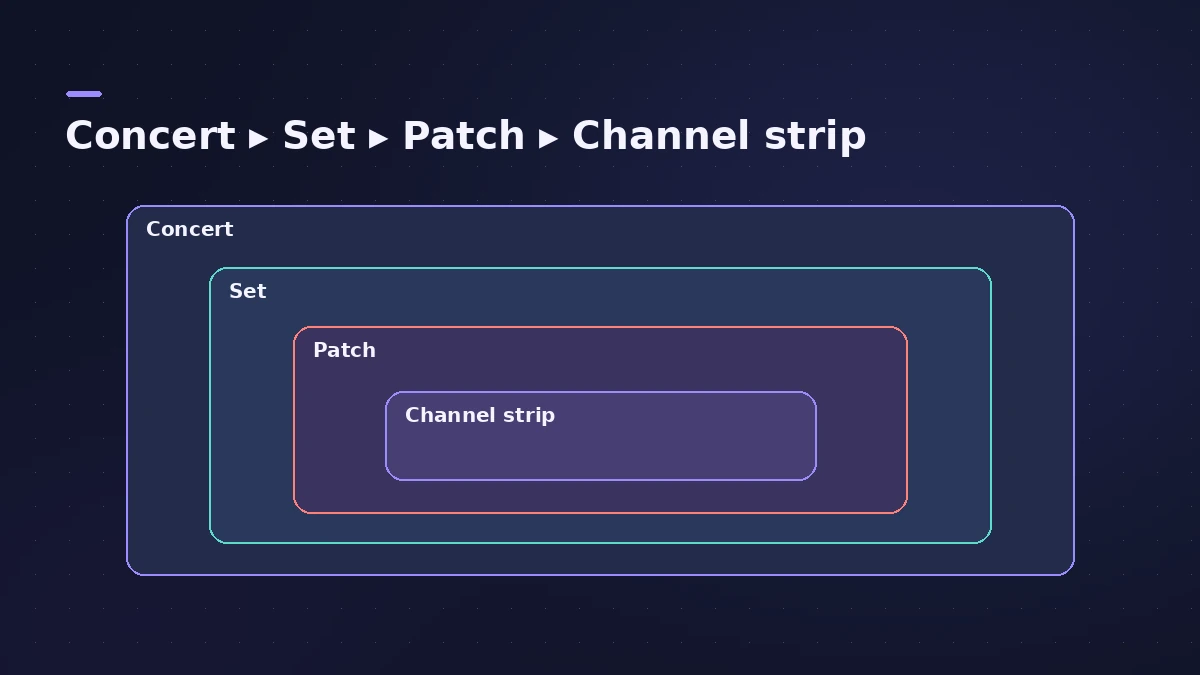
In MainStage your sounds live in concerts. Each sound is a patch, and each patch can contain one or more channel strips with their own instruments and effects. You group patches into sets in the Patch List. Each concert also has a layout — screen controls that you map to parameters and assign to your hardware.
Three modes
| Mode | What you do |
|---|---|
| Edit | Audition, edit and organise sounds; map screen controls |
| Layout | Arrange screen controls and make controller assignments |
| Perform | Play live, in full screen or a window |
What's new in version 4
MainStage 4 can sync with other apps and devices using Ableton Link — see Ableton Link in MainStage. It also gets the new sound library and browser, and now switches reliably to a newly selected audio device.
Price
$29.99 on the Mac App Store, or included with Apple Creator Studio. For how it compares with Logic Pro, see Logic Pro vs MainStage.
Sources
- Apple — MainStage User Guide: What is MainStage?
- Apple — MainStage User Guide: The MainStage window and modes
- Apple Support — MainStage release notes
- Synth Anatomy — Logic Pro 12 and MainStage 4.0 are out as free updates (Jan 2026)
- Synthtopia — Logic Pro 12, MainStage 4 now available (Jan 2026)
- CDM — Logic Pro 12 tweaks, MainStage 4 with Ableton Link (Jan 2026)
- Apple — MainStage on the Mac App Store
Checked November 2026. Logic ProFiles is independent of Apple; menu names can differ slightly between Logic Pro versions.
Frequently asked questions
What's new in MainStage 4?
+
Ableton Link sync, the new sound library and browser, and reliability fixes such as switching reliably to a newly selected audio device.
Is MainStage 4 a free update?
+
Yes for existing users. New users pay $29.99 or get it with Apple Creator Studio.
Related
- How to set up a MainStage concertSet up a MainStage concert: connect your gear, choose a template, add patches and sets, assign your controller, then switch to Perform mode before the gig.
- Ableton Link in MainStage 4MainStage 4 syncs with Ableton Link: turn it on in Concert Settings, allow network access, and choose whether start and stop are shared with other Link apps.
- Logic Pro vs MainStage — which do you need?Logic Pro vs MainStage: Logic Pro records and mixes songs; MainStage ($29.99, or in Creator Studio) plays the same instruments and plug-ins live on stage.
- MainStage and live performancePlay Logic Pro's instruments on stage with MainStage 4: concerts and patches, backing tracks, MIDI controllers, Ableton Link and pre-gig checks.