Logic Pro vs Ableton Live 12
Quick answer
Logic Pro costs US$199.99 one-time, runs on Apple silicon Macs and iPad, and includes a very large sound library, Session Players and a full mixing and mastering toolset. Ableton Live 12 runs on both macOS and Windows and sells as Intro (US$99), Standard (US$349) and Suite (US$749); its Session View clip-launch workflow, MIDI generators and Push controller make it the stronger choice for live performance and loop-based electronic writing. If you compose and mix linear songs on a Mac, Logic Pro is the better value; if you perform, improvise with clips or need Windows, choose Live.
Platform and version
At a glance
| Area | Logic Pro 12 | Ableton Live 12 |
|---|---|---|
| Price | US$199.99 one-time, or Apple Creator Studio at US$12.99/month or US$129/year (apple.com/logic-pro) | Intro US$99, Standard US$349, Suite US$749; Suite also rent-to-own at US$31.21/month (ableton.com/shop/live) |
| Platforms | Mac with Apple silicon (macOS 15.6 or later), iPad (iPadOS 26) | macOS 11 or later (Intel or Apple silicon), Windows 10 22H2 or Windows 11 |
| Track limits | No fixed limit | Intro: 16 audio and MIDI tracks; Standard and Suite: unlimited |
| Bundled instruments | Dozens, including Alchemy, Sampler, Drum Machine Designer, Session Players | Intro 8, Standard 13, Suite 20 software instruments |
| Bundled sounds | Very large library included (tens of GB), free | Intro 5+ GB, Standard 38+ GB, Suite 71+ GB |
| Audio effects | Full suite including ChromaGlow, Mastering Assistant, Space Designer | Intro 27, Standard 42, Suite 58 |
| MIDI tools | Chord track, Chord ID, Session Players, MIDI effects, Scripter | MIDI generators and transformations: 0 in Intro, 14 in Standard and Suite |
| Live performance | Live Loops grid, MainStage (separate app, in Creator Studio) | Session View clip launching is the core design |
| Max for Live | Not applicable | Suite only |
| Hardware controller | Logic Remote (free iPad/iPhone app), generic MIDI controllers | Push, sold separately by Ableton |
| Dolby Atmos | Yes, with ADM export | Not a native feature |
| Trial | 30 days of Apple Creator Studio for new subscribers | Free trial linked from the shop page; length not stated there |
Where the two apps actually differ
Price over three years
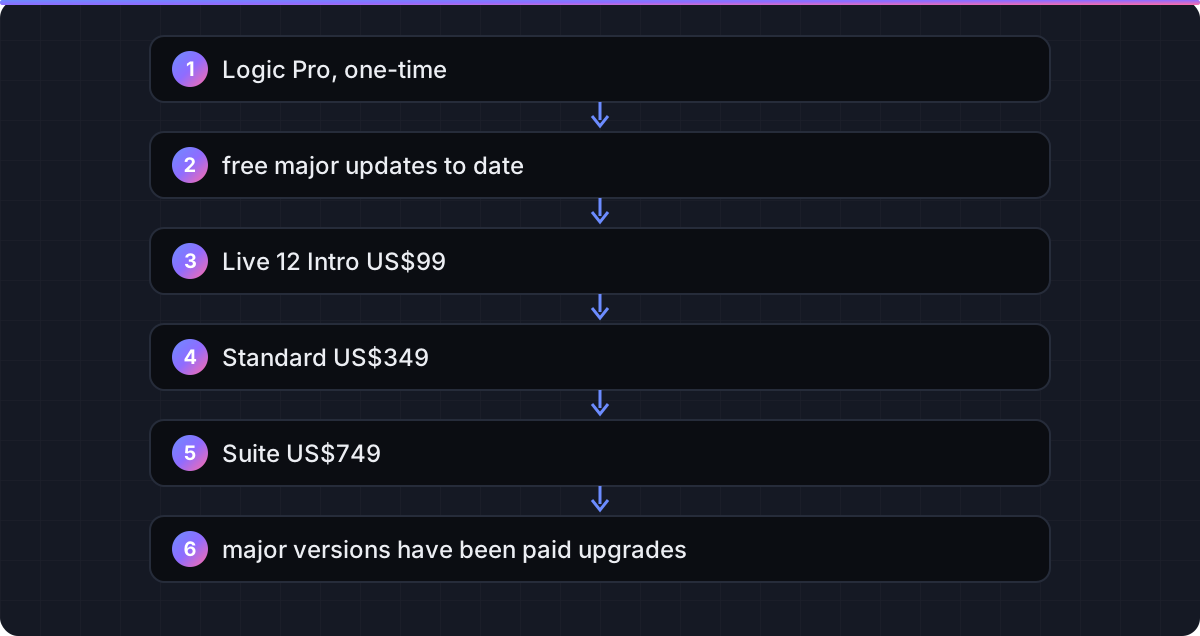
Logic Pro's US$199.99 one-time price has historically included major version updates at no charge, and the Logic Pro 12 upgrade was free for existing owners. Ableton sells three editions, and the realistic comparison for a serious user is Standard at US$349 or Suite at US$749; major Live versions have been paid upgrades. Over three years on a Mac, Logic Pro is the cheaper path unless Intro's 16-track limit is enough for you. If you prefer paying monthly, Apple Creator Studio at US$12.99 and Ableton's Suite rent-to-own at US$31.21 are not comparable: the Apple plan never ends in ownership, the Ableton plan does.
Platform
This decides it for many people. Logic Pro runs only on Apple silicon Macs and iPad. Live 12 runs on macOS and Windows with one licence per user, so a studio mixing Mac and PC machines or a producer who may switch hardware later has a reason to pick Live. If you are on Windows, read Logic Pro for Windows before anything else.
Session View and live performance
Live's defining feature is Session View, a grid where each cell holds an audio or MIDI clip that can be launched in sync with everything else. It is the standard tool for performing electronic sets and for writing by jamming loops. Logic Pro added Live Loops with a similar grid, and it works, but it sits beside the linear Tracks area rather than at the centre of the app. If performance or improvisation is your main use, Live is the natural fit.
MIDI tools and composition aids
Live 12 Standard and Suite include 14 MIDI generators and transformation tools for creating and reshaping patterns. Logic Pro's strengths are different: the Chord track, Chord ID for analysing audio, and Session Players that follow your chords on drums, bass, keys and synth. For writing full arrangements quickly, Logic Pro's approach is faster; for generative and pattern-based electronic work, Live's tools are deeper.
Bundled sounds and instruments
Logic Pro includes its entire sound library and all instruments for one price. Live tiers its content: Intro ships 5+ GB and 8 instruments, Suite ships 71+ GB, 20 instruments and Max for Live. To match Logic Pro's bundled instrument depth you need Suite, which is the US$749 edition.
Push and controllers
Ableton's Push controller is designed specifically for Live and is sold separately. Logic Pro has no dedicated hardware but ships Logic Remote, a free iPad and iPhone app for mixing and controlling the app wirelessly. Generic MIDI controllers work with both.
Mixing, mastering and delivery
Logic Pro includes Mastering Assistant, ChromaGlow, Dolby Atmos mixing with ADM export, Stem Splitter and detailed stem export. Live's effects are strong and Suite adds Max for Live devices, but Atmos delivery and assisted mastering are not native. See mastering in Logic Pro.
Verdict: pick by what you do
Songwriter or producer on a Mac: Logic Pro
You get more instruments, more sounds and a complete mix-and-master path for US$199.99, with iPad as a bonus. Live Loops covers occasional clip-based jamming.
Live performer or loop-based electronic producer: Ableton Live
Session View, the MIDI tools in Standard and Suite, and Push make Live the right tool for sets and improvisation. Budget for Standard at minimum; Intro's 16 tracks run out quickly.
Windows user or mixed-platform studio: Ableton Live
Logic Pro is not available on Windows and there is no supported way to run it there. Live is the straightforward choice.
Undecided: try both
Use the 30-day Apple Creator Studio trial for Logic Pro (how it works) and Ableton's free Live 12 trial. Build the same short track in each and notice which one you finish first.
FAQ
How much does Ableton Live 12 cost compared to Logic Pro?
Ableton's shop lists Live 12 Intro at US$99, Standard at US$349 and Suite at US$749. Logic Pro for Mac is US$199.99 one-time or part of Apple Creator Studio at US$12.99/month.
Does Ableton Live run on Windows?
Yes. Ableton lists Windows 10 (22H2) and Windows 11 support alongside macOS 11 or later. Logic Pro runs only on Apple silicon Macs and iPad.
Does Logic Pro have something like Session View?
Logic Pro has Live Loops, a clip grid for launching loops in sync. It is useful but secondary to the Tracks area, whereas Session View is central to Live.
Which has more bundled sounds?
Logic Pro includes its full library at one price. Live's content scales by edition: 5+ GB in Intro, 38+ GB in Standard and 71+ GB in Suite, per Ableton's shop page.
Is Ableton Live available on iPad?
No. Logic Pro for iPad is a full DAW; Ableton offers only Note, a separate iOS sketching app that can send ideas to Live.
Can I open an Ableton Live set in Logic Pro?
Not directly. Export stems and MIDI files from Live and import them into Logic Pro, then rebuild your instruments and effects.
Do I need Push to use Ableton Live?
No. Push is optional hardware sold separately. Live works with a mouse, keyboard and any class-compliant MIDI controller.
Which is better for mixing and mastering?
Logic Pro includes Mastering Assistant, Dolby Atmos with ADM export and detailed stem export. Live's mixer and effects are capable, but these delivery tools are not native.
Related guides
Part of Compare — see every guide in this hub.
 Compare
Logic Pro vs GarageBand: is the upgrade worth it?
GarageBand is free and shares Logic Pro's engine; Logic Pro adds the editing, mixing and mastering tools you need to finish records. Here is where the line falls.
7 min read Compare
Logic Pro vs FL Studio
FL Studio's piano roll and pattern workflow against Logic Pro's arrangement, Session Players and mix tools, with edition prices from Image-Line and the true cost over time.
6 min read Guide
Logic Pro free trial: how to get 30 days, and what to do before it ends
Start the 30-day Creator Studio trial, understand what happens on day 30, and cancel without losing your projects.
6 min read
Sources checked
- Ableton: Live 12 shop (Intro US$99, Standard US$349, Suite US$749; Suite rent-to-own US$31.21/month; macOS 11+ and Windows 10/11; edition contents)
- Apple: Logic Pro (US$199.99, Creator Studio US$12.99/month or US$129/year)
- Apple: Logic Pro trial (30 days of Creator Studio for new subscribers)
- Apple Support: Logic Pro 12 technical specifications (macOS 15.6, Apple silicon)
- Sound On Sound: Logic Pro 12 review (Chord ID, Synth Player, Stem Splitter, ChromaGlow, Dolby Atmos ADM)
Last checked 3 November 2026 by the Logic Pro Files Team.